
Research exhibit / HR software
HR software: reveal the workflow before the demo
How would the product support our HR and payroll tasks before we commit time to a demonstration?
A feature list does not show whether the working day gets easier.
Feature labels such as onboarding, payroll and time tracking can look persuasive while leaving the working sequence unexplained. HR, payroll and IT visitors need to understand product fit, yet a short list gives each role little context for its decision.
Concept study · research not yet conducted. This is a specific investigation plan around an illustrative website. No interviews, verified search volumes, implemented software or measured outcomes are claimed.
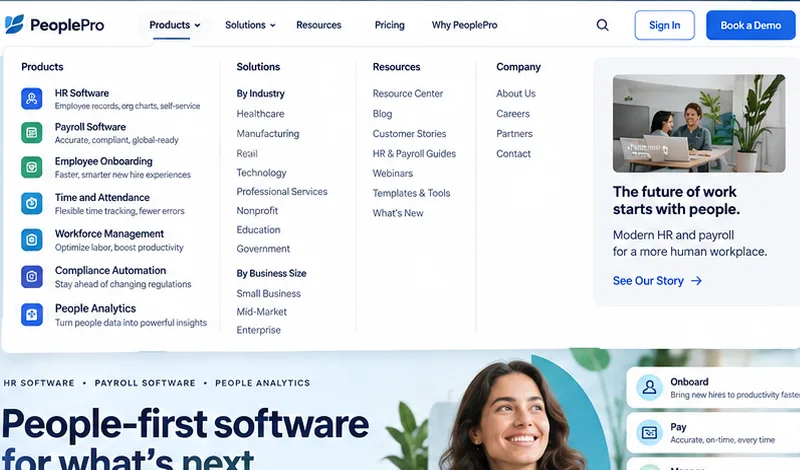
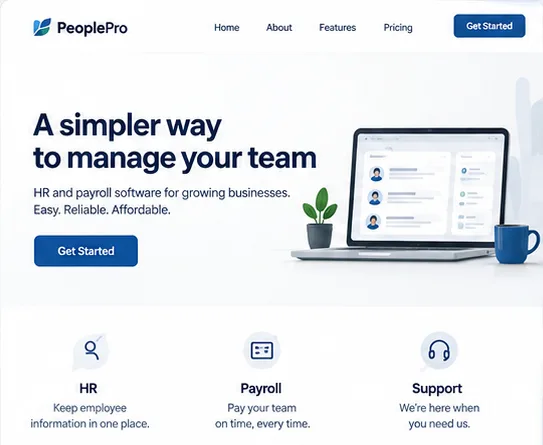
Compare the earlier website idea
Two illustrative layouts to discuss. These pictures do not represent a measured before-and-after result.
The question shapes
the whole website.
This hr software direction would be useful if the visitor can answer the study’s question and the receiving team can act on the resulting information. That remains a hypothesis to test.
The proposed website responseGive the individual workflows distinct entry points instead of compressing them into one feature summary. Industry examples and practical resources sit beside the product choices, helping each visitor understand the relevance of a demonstration before booking one.
Who is choosing?
What is at stake?
A useful profile describes the job, concern and evidence behind a decision. These are hypotheses to investigate, not invented personas presented as facts.
- Profile hypothesis · not verified
HR teams
- The job
- How would the product support our HR and payroll tasks before we commit time to a demonstration?
- The worry
- Feature labels such as onboarding, payroll and time tracking can look persuasive while leaving the working sequence unexplained. HR, payroll and IT visitors need to understand product fit, yet a short list gives each role little context for its decision.
- Proof to look for
- an actual staff workflow, record requirements, supported connections and role-based access boundaries
Find the right participants Invite people who currently perform this role and have a recent relevant decision to discuss. Include different experience and access needs.
Verify or reject Ask for a specific recent example, trace it against permitted records and retain disagreements as findings. Record source, role, date and research limitations. - Profile hypothesis · not verified
Payroll administrators
- The job
- Connect role permissions, required records, approval dates and the handover between people systems.
- The worry
- Will the information be sufficient to judge a workflow the team can operate?
- Proof to look for
- an actual staff workflow, record requirements, supported connections and role-based access boundaries
Find the right participants Invite people who currently perform this role and have a recent relevant decision to discuss. Include different experience and access needs.
Verify or reject Ask for a specific recent example, trace it against permitted records and retain disagreements as findings. Record source, role, date and research limitations. - Profile hypothesis · not verified
IT evaluators
- The job
- A workflow explanation and small onboarding example showing responsibilities rather than an unexplained feature list.
- The worry
- Can the receiving team act on the request without guessing missing facts?
- Proof to look for
- an actual staff workflow, record requirements, supported connections and role-based access boundaries
Find the right participants Invite people who currently perform this role and have a recent relevant decision to discuss. Include different experience and access needs.
Verify or reject Ask for a specific recent example, trace it against permitted records and retain disagreements as findings. Record source, role, date and research limitations.
Start with people
Follow a fictional joiner or change request with HR, payroll and IT, noting where each role needs a different answer.
The proposed record: A short list of audience needs, recurring questions and assumptions that still need checking.
Search for participants
Start with permitted enquiries and customer records, service-owner referrals and relevant professional communities. Recruit against the role and task, include different experience levels and keep an appropriate consent record.
Keep an evidence trail
Record participant criteria, research date, exact task, supporting observations and contradictory findings. An assumption is accepted, revised or rejected against what people actually do and say.
Follow one need
all the way through.
Every useful part of the page should have a reason. Follow the connection from a buyer’s situation to the evidence, original words, search answer and test.
One decision, traced from beginning to end
How would the product support our HR and payroll tasks before we commit time to a demonstration?
an actual staff workflow, record requirements, supported connections and role-based access boundaries
Follow one real staff task from beginning to end.
HR workflow software requirements
Show the record, permissions, approvals and supported connections involved. Help the HR team understand how the workflow would operate and where a person must review an exception before judging a feature list.
Can the buyer recognise whether the service covers their need?
One decision, traced from beginning to end
The buyer needs evidence relevant to a workflow the team can operate.
an actual staff workflow, record requirements, supported connections and role-based access boundaries
The conditions and evidence behind a workflow the team can operate
payroll system integration questions
Before judging a workflow the team can operate, check an actual staff workflow, record requirements, supported connections and role-based access boundaries. Ask about the details that still need confirmation.
Can the buyer find the relevant constraints and supporting facts?
One decision, traced from beginning to end
The receiving team needs a usable handover.
Connect role permissions, required records, approval dates and the handover between people systems.
A useful brief for a workflow the team can operate
HR software permission controls
Prepare the information needed for a workflow the team can operate. The proposed receiving team would review the brief, identify missing facts and confirm the next step.
Can the buyer prepare the information the receiving team actually needs?
Follow the information
Connect role permissions, required records, approval dates and the handover between people systems.
The proposed record: One documented journey with required information, decision points and a named owner for each handover.
Find the words.
Check the intent.
Keywords are a research decision, not decoration. These case-specific candidates show why a term might belong, what page it needs and which evidence would confirm or reject it.
| Candidate and reasoning | Intent and page response | How to validate |
|---|---|---|
| HR workflow software requirementsA candidate phrase for the decision about a workflow the team can operate; investigate it with the people in this study, rather than choosing it for volume alone. | Understand the options Service overview and decision question | Compare buyer vocabulary, permitted search-query data, relevant search results and service-owner facts. Record contradictions. Search volume and ranking difficulty are not supplied.Workflow comprehension |
| payroll system integration questionsA candidate phrase for the decision about a workflow the team can operate; investigate it with the people in this study, rather than choosing it for volume alone. | Check suitability Capability, evidence and constraints | Compare buyer vocabulary, permitted search-query data, relevant search results and service-owner facts. Record contradictions. Search volume and ranking difficulty are not supplied.Record completeness |
| HR software permission controlsA candidate phrase for the decision about a workflow the team can operate; investigate it with the people in this study, rather than choosing it for volume alone. | Prepare the next action Process explanation and enquiry requirements | Compare buyer vocabulary, permitted search-query data, relevant search results and service-owner facts. Record contradictions. Search volume and ranking difficulty are not supplied.Permission boundaries |
Inspect the market
Review competing offers and alternative ways to solve the buyer’s problem. Record the public promises, qualifying details and unanswered questions. Investigate whether a gap matters to the buyer before making it the message.
Make the selection auditable
Keep the query source, intent, result-page review, target page, date and owner. Volume and competition remain unknown here. A real keyword tool estimate must include its tool, geography and period; first-party search data has its own coverage limits.
One question.
A proper, useful answer.
SEO helps people find a relevant page. AEO means structuring an answer people can understand and answer systems can interpret. Both begin with factual, specific content.
Editorial sketch · facts and wording still to verify
How would the product support our HR and payroll tasks before we commit time to a demonstration?
Show the record, permissions, approvals and supported connections involved. Help the HR team understand how the workflow would operate and where a person must review an exception before judging a feature list.
Search foundations
A distinct title, relevant heading, readable text, useful internal links and a page that can be crawled and indexed when publicly launched.
Answer structure
Place the direct answer beside the question, then show conditions, evidence, responsible ownership and the appropriate action.
Measure each channel
Use permitted query, impression, visit and enquiry data. Review available AI-citation reports separately. A citation, a visit and an enquiry are different events.
Google describes optimisation for its generative features as SEO; it does not require a special AI file or AI-only schema. Rankings, inclusion in answers and commercial results cannot be guaranteed. This password-protected preview supplies no live search-performance evidence.
Write this business.
From the beginning.
Every published sentence should earn its place by answering a buyer’s question or explaining a verified fact. The content is developed from scratch around this brief; a generic AI paragraph cannot supply client knowledge or evidence.
Gather the real material
Invite the buying roles to compare the platform against their everyday responsibilities. Observe what they look for about workflow, integration and purchasing, then use their questions to decide which product explanations deserve a route of their own.
Follow one real staff task from beginning to end.
Show the record, permissions, approvals and supported connections involved. Help the HR team understand how the workflow would operate and where a person must review an exception before judging a feature list.
Approve the meaning
The owner reviews business facts and permissions; the research team checks the connection to the buyer question; likely users test whether the answer is usable. Unverified claims stay out.
- The buyer asks
- How would the product support our HR and payroll tasks before we commit time to a demonstration?
- The evidence required
- an actual staff workflow, record requirements, supported connections and role-based access boundaries
- Before it is published
- Trace each factual claim to an approved source, confirm permissions, check the meaning with the responsible owner and test comprehension with the intended audience.
The draft above is an illustrative content direction, not approved client copy. Original writing does not mean inventing facts. No claim is made that a buyer has approved these words.
Each part has a job.
Each job has a check.
This annotated blueprint shows the intended information hierarchy. It is a proposed content structure, not an eye-tracking heatmap or a measured analysis of the artwork.
Follow one real staff task from beginning to end.
How would the product support our HR and payroll tasks before we commit time to a demonstration?
Relevant facts and evidence
an actual staff workflow, record requirements, supported connections and role-based access boundaries
The process and its limits
Connect role permissions, required records, approval dates and the handover between people systems.
A useful request, with a clear next step
Onboarding checklist
- A · Opening proposition
How would the product support our HR and payroll tasks before we commit time to a demonstration?
The page decision Show the relevant problem, the service category and the intended buyer before decorative detail.
Evidence to obtain Invite the buying roles to compare the platform against their everyday responsibilities. Observe what they look for about workflow, integration and purchasing, then use their questions to decide which product explanations deserve a route of their own.
Check it Can the buyer recognise whether the service covers their need? - B · Capability and proof
What would help me judge a workflow the team can operate?
The page decision Give the individual workflows distinct entry points instead of compressing them into one feature summary. Industry examples and practical resources sit beside the product choices, helping each visitor understand the relevance of a demonstration before booking one.
Evidence to obtain Request and review an actual staff workflow, record requirements, supported connections and role-based access boundaries.
Check it Can the buyer find the relevant constraints and supporting facts? - C · Process and boundaries
What happens, what is required and what remains uncertain?
The page decision Make the scope, dependencies and information needed for the next action visible in the page.
Evidence to obtain Connect role permissions, required records, approval dates and the handover between people systems.
Check it Ask the buyer to explain the process in their own words; note incorrect expectations. - D · Action and handover
What do I send and who takes it from here?
The page decision A workflow explanation and small onboarding example showing responsibilities rather than an unexplained feature list.
Evidence to obtain Coordinate agreed joiner tasks and their owners without relying on separate email reminders.
Check it Find the relevant workflow and review a fictional change through approval without exposing unrelated employee information. Check the same essential path with keyboard navigation and relevant assistive technology.
Build a small testable route
A workflow explanation and small onboarding example showing responsibilities rather than an unexplained feature list.
The proposed record: A small public-facing route and a sketch of the associated staff task, ready to test with fictional records.
Visual hierarchy, recognition and scanning guide a design hypothesis. They do not read a buyer’s mind or prove a sales effect. Observe the actual task, including failures and access barriers.
The website starts it.
The working system carries it.
A well-designed enquiry can become useful information for the people doing the work. These are case-specific capabilities to scope, not a claim that the artwork hides a working backend.
- 01
Onboarding checklist
Coordinate agreed joiner tasks and their owners without relying on separate email reminders.
Website request or agreed record named staff owner review and next action visible status for authorised people. - 02
Employee change approvals
Route a change to the authorised reviewer and retain a decision history.
Agreed input validation and visible exceptions authorised decision recorded action and reason. - 03
Payroll preparation checks
Check agreed input fields and flag discrepancies for a payroll professional rather than silently changing pay.
Agreed input validation and visible exceptions authorised decision recorded action and reason.
These are possible bespoke backend features, not a view into an existing working system. Scope, data, permissions, integrations and staff responsibilities would be agreed after discovery.
Employee records and pay data need explicit access, retention and integration decisions; the concept uses fictional data.
Give a real task.
Watch what happens.
Set a believable goal, use neutral instructions and record success, confusion and failure. Observe likely buyers and receiving staff; include relevant accessibility checks.
Find the relevant workflow and review a fictional change through approval without exposing unrelated employee information. Check the same essential path with keyboard navigation and relevant assistive technology.
Observe a real task
Find the relevant workflow and review a fictional change through approval without exposing unrelated employee information. Check the same essential path with keyboard navigation and relevant assistive technology.
The proposed record: A record of task completion, misunderstandings and access barriers, with the scope and participants stated.
- Baseline to establish
Workflow comprehension
Ask each role to identify its responsibility and next step.
Record a baseline first. Compare similar tasks after a change, include failures and note other factors that may explain differences. No result is claimed here. - Baseline to establish
Record completeness
Count missing agreed fields before a change is reviewable.
Record a baseline first. Compare similar tasks after a change, include failures and note other factors that may explain differences. No result is claimed here. - Baseline to establish
Permission boundaries
Check that a test account can reach only the employee records and actions permitted for its role.
Record a baseline first. Compare similar tasks after a change, include failures and note other factors that may explain differences. No result is claimed here.
Record the conditions
Task wording, participant criteria, device, starting point, assistance, completion rule and failure reason all belong in the record. Agree them before observing the task.
Change one useful thing
Prioritise a clear barrier, make a specific revision and repeat a comparable task. Keep evidence that contradicts the hypothesis. Small usability samples reveal problems; they do not establish a population conversion rate.
The maths must match
the question.
A number becomes useful when its numerator, denominator, conditions and limitations are clear. These specifications connect the proposed measures to this case’s actual task.
Workflow comprehension
Tasks meeting the agreed success criterion ÷ all attempted tasks × 100
- Unit
- Percentage of attempted tasks
- Collect
- State the success criterion first. Record successful, failed and assisted attempts; count every attempt in the denominator.
- Interpret
- Compare like-for-like tasks and report the counts as well as the percentage. A small sample does not establish a population conversion rate.
Record completeness
Recorded issues ÷ reviewed tasks or requests
- Unit
- Issues per reviewed record
- Collect
- Define what counts as an issue before the test. Keep the same review checklist and record the total tasks reviewed.
- Interpret
- Separate severity from frequency. A single serious issue can matter more than several minor corrections.
Permission boundaries
Tasks meeting the agreed success criterion ÷ all attempted tasks × 100
- Unit
- Percentage of attempted tasks
- Collect
- State the success criterion first. Record successful, failed and assisted attempts; count every attempt in the denominator.
- Interpret
- Compare like-for-like tasks and report the counts as well as the percentage. A small sample does not establish a population conversion rate.
Show the calculation(8 ÷ 12) × 100 = 66.7%
No measured resultOne fictional arithmetic example: eight completed tasks out of twelve attempts. This is not a baseline, result, uplift, conversion forecast or measurement of this website.
| Measure | Completed | Attempts | Rate |
|---|---|---|---|
| Task completion | 8 | 12 | 66.7% |
This arithmetic demonstrates a method; it is not an improvement, forecast, estimate of revenue or proof of causation. A commercial claim needs suitable real data, an appropriate comparison and enough observations for its purpose.
Improve in small increments
Agree a starting measure for workflow comprehension, record completeness, permission boundaries. Test the riskiest step first, change one clear problem, then repeat a comparable task; record other changes that could affect the comparison.
The proposed record: An agreed comparison, the next useful change and a note of what remains uncertain.
A proposed evaluation plan for an illustrative website study. No interviews, analytics results, user tests or customer outcomes are claimed for this concept.
The explanation is only useful
if the page works.
Set performance budgets, test relevant devices and check keyboard, zoom, labels and assistive technology. Build quality supports the task; a score alone does not show that a buyer can do it.
- Loading · LCP≤ 2.5 s
How quickly the main content appears.
- Responsiveness · INP≤ 200 ms
How promptly a page responds to interaction.
- Visual stability · CLS≤ 0.1
How much the layout unexpectedly shifts.
Published Core Web Vitals “good” thresholds at the 75th percentile of real visits, assessed separately for mobile and desktop. Proposed field targets, not measured scores for this concept. A lab test alone is not field evidence; user testing alone does not establish accessibility conformance.
What would persuade us
to keep or change it?
Research is useful when it changes a decision. This ledger connects the claims made in the brief to evidence that would support, refine or reject them.
| Claim to investigate | Evidence to gather | Decision rule |
|---|---|---|
| Buyer profile | Follow a fictional joiner or change request with HR, payroll and IT, noting where each role needs a different answer. | Use the profile only where the recorded examples support it; retain exceptions and unresolved assumptions. |
| Chosen phrase and intent | Compare the candidate phrases with buyer wording, permitted queries and relevant search results. | Record intent, source, date, suitable page and a reason to retain or reject each phrase. |
| Published content | Trace service statements to an actual staff workflow, record requirements, supported connections and role-based access boundaries. | Write the answer from scratch, record factual approvals and remove unsupported claims. |
| Proposed improvement | Find the relevant workflow and review a fictional change through approval without exposing unrelated employee information. Check the same essential path with keyboard navigation and relevant assistive technology. | Establish a baseline, count failed attempts and compare agreed tasks before claiming any improvement. |
Published B2B research informs the questions. It does not prove this design will increase enquiries or sales.
Read the 16 sources, their scope and their limits
- 2025 B2B Buyer Experience Report (source, new tab)
Commercial B2B buyer survey
94% of surveyed buyers said they ranked their shortlist before speaking with sellers.
Nearly 4,000 buyers in North America, APAC and EMEA; qualifying purchases were at least $25,000 and the median was $200,000–$300,000.
Retrospective reports about higher-value B2B purchases; not a website experiment or a result for these fictional businesses.
- B2B Website Usability: public research overview (source, new tab)
Publisher’s public overview of its third-edition B2B research
Business websites need to support comparison, shared purchasing decisions and customer tasks after a purchase.
The public overview describes representative business users testing 293 B2B sites across the US, UK and Singapore, using several research methods.
The full paid report was not accessed. This overview does not supply a conversion estimate or validate any concept shown here.
- Learning about users and their needs (source, new tab)
Public-service research guidance
Investigate what people need to do, their current approach and the problems they experience; treat untested internal opinions as assumptions.
Guidance for government services, including people who use, provide or support them.
A transferable practice method, not a B2B commercial-outcome study.
- Creating an experience map (source, new tab)
Research synthesis and journey-mapping guidance
Combine observed user experiences to reveal stages, dependencies, pain points and handovers across a service.
Particularly relevant to journeys involving several events, people, teams or touchpoints.
The map must be grounded in research. A proposed diagram is not an observed customer journey.
- Making prototypes (source, new tab)
Design practice guidance
Explore and test alternative designs with a small prototype before committing to a full build.
Includes sketches and realistic interactive prototypes for desktop and mobile tasks.
A convincing prototype is not proof of production security, reliability, integration or business value.
- Using moderated usability testing (source, new tab)
Task-based usability research guidance
Observe likely users attempting believable tasks to uncover confusing language, layout and interaction.
Tasks should have a clear goal without revealing the answer; sessions require appropriate recruitment and a consistent discussion guide.
Small qualitative rounds reveal specific problems. They do not justify general population percentages or guaranteed conversion gains.
- Using performance data to improve your service (source, new tab)
Performance measurement guidance
Plan measurement from the beginning and combine task data with research to decide what to improve.
The government service metrics are accompanied by guidance to choose additional measures appropriate to each service.
Commercial projects need their own measures. A before-and-after change may have several causes and is not automatically causal evidence.
- Involving Users in Evaluating Web Accessibility (source, new tab)
Accessibility evaluation guidance
Testing with disabled users can reveal practical barriers; combine this with standards-based evaluation and report the review’s limits.
Covers early consultations, formal studies, assistive technology and cautious interpretation of limited samples.
One user’s experience does not represent every disability. User testing alone cannot establish WCAG conformance.
- Search Engine Optimization (SEO) Starter Guide (source, new tab)
Primary-source practice guidance
Create original, readable and well organised content; anticipate the different terms experienced and new readers may use; give related pages descriptive links and relevant images useful context.
Official introductory guidance for search discovery and presentation. Search systems can understand related language without every exact phrase being repeated.
No guaranteed ranking, indexing or snippet wording. Avoid keyword stuffing, arbitrary word counts and invented search volumes. Public discovery and search eligibility need their own checks; publication does not guarantee a ranking or AI citation.
- Influencing your title links in search results (source, new tab)
Primary-source practice guidance
Give each page a concise, descriptive and distinct title, avoiding repeated boilerplate and keyword stuffing.
Official guidance explains how Google selects search-result titles using several on-page and off-page sources.
A written title is a preference signal, not control over the exact displayed search title or a promised click-through rate.
- Creating helpful, reliable, people-first content (source, new tab)
Primary-source practice guidance
Google encourages original, useful, reliable content for an intended audience. Its current quality guidance discusses effort, originality, skill and factual accuracy, with clear attribution where appropriate.
Publisher self-assessment guidance. Google says SEO is useful when applied to people-first content rather than search-engine-first content.
This is not a universal content checklist that guarantees ranking or sales. E-E-A-T is not itself a specific ranking factor. Each word cannot be separately scientifically validated.
- Optimizing your website for generative AI features on Google Search (source, new tab)
Primary-source practice guidance
Google treats AEO/GEO work for its generative search experiences as SEO. It prioritises original, useful content and ordinary technical structure; special AI files, schema and content chunking are unnecessary.
Google Search. Eligibility includes indexing, snippet eligibility and current Search Console generative-feature inclusion settings.
No guaranteed indexing, citations, position, sales outcome or eligibility in other services.
- Introducing AI Performance in Bing Webmaster Tools Public Preview (source, new tab)
Primary-source practice guidance
Bing recommends clearer structure, evidence, expertise, accurate current information and consistent meaning across text and media. Its preview reporting shows citation activity across supported Microsoft AI experiences.
Bing, Microsoft Copilot and selected supported integrations. Citation counts and sampled grounding queries describe supported answer experiences.
The cited-page measures do not indicate ranking, authority, placement or sales. Readable answers and references do not guarantee inclusion in an AI response.
- How People Read Online: New and Old Findings (source, new tab)
Publisher’s synthesis of eyetracking research
People commonly scan online content while looking for relevant information. Reading patterns vary with layout, task, motivation and the individual.
Public summary of 13 years of eyetracking research, over 500 participants and more than 750 hours of observation.
Not every visitor scans all content, and no single layout pattern fits all pages. The public article does not establish a revenue increase for this project; the paid report was not accessed.
- Memory Recognition and Recall in User Interfaces (source, new tab)
Cognitive psychology and interface-design guidance
Visible choices and contextual cues can support recognition instead of asking people to recall information unaided.
A cognitive-psychology explanation applied to menus, search and interface content; published January 2024.
A design heuristic, not proof of universal behaviour or a specific conversion increase. Labels still need testing with the intended audience.
- Web Vitals (source, new tab)
Published web-performance measurement guidance
The published good-experience thresholds are LCP at most 2.5 seconds, INP at most 200 milliseconds and CLS at most 0.1.
Assess the 75th percentile of real page loads, separately for mobile and desktop, across all three Core Web Vitals.
These are performance targets, not measured results for the concepts. A laboratory result is diagnostic and is not equivalent to representative field data or a sales forecast.